 1 / 7
How to run
- Open the Internet Adapter or Headless menu on your NABU or in MAME.
- Go to the Games channel category.
- Select Kip's Quest and it will load.
About
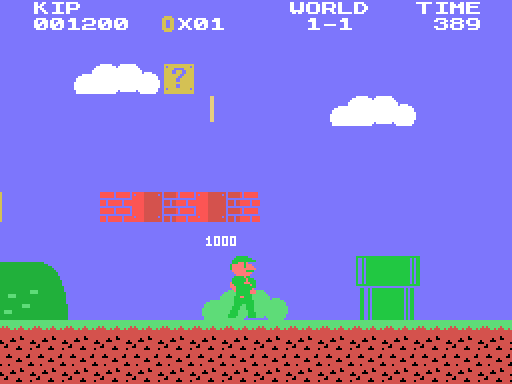
Kip's Quest is a side scrolling platform adventure for the NABU PC. Run, jump and stomp your way through eight levels of meadows, caves, tree tops and castles, then slide down the flag pole at the end of each one.
Features
- Smooth 2 pixel scrolling on the TMS9918A (the playfield moves with no flicker or tearing).
- Responsive running and jumping: speed builds up, Kip skids when turning, holding FIRE jumps higher, and you can steer in the air.
- ? blocks with coins and power-ups, bricks to break, hidden blocks, and coins to collect (100 coins = an extra life).
- Power-ups: the berry makes Kip big, the fire pepper throws bouncing fireballs, the star makes him invincible, and the green berry is a 1-up.
- Enemies: grumbles to stomp, shellbacks whose shells you can kick into everything else, spinies you must not stomp, buzzer bees and lava bubbles.
- A flag pole at the end of every level: grab it high for up to 5000 points, then the time left becomes bonus points.
- Eight levels in four themes that share one tile set: 1-1 meadow, 1-2 cave, 1-3 tree tops, 1-4 castle, then World 2 with a night meadow, a deeper cave, harder tree tops and the last castle.
- A halfway checkpoint, a timer, score, coins and lives.
- Original music and sound effects for every theme, the invincibility star, the level clear, game over and the ending.
Controls (joystick)
- Left / Right: walk
- Hold Up while moving: run (a running jump goes higher and further)
- FIRE: jump (hold it to jump higher)
- Down: duck (when big)
- Tap Up: throw a fireball (with the fire pepper)
How it works
The screen runs in Graphics I with four pattern tables, one for each 2 pixel scroll step, and each pattern holds two neighbouring level tiles already shifted. Changing one VDP register scrolls the whole screen, and every 8 pixels a hidden second name table is swapped in. A build tool works out the tile pairs and colours for each level.
All characters, levels, graphics and music are original.