RetroNET RShell
Group: Utilities • Author: DJ Sures
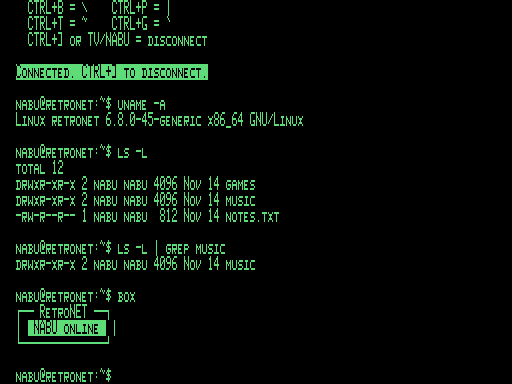
Created 2026-11-14 • Updated 2026-11-14Open the command prompt of the PC running your Internet Adapter (cmd.exe or bash) right on the NABU. A full VT100/ANSI terminal: 80 columns on F18A/PICO9918, line-drawing boxes, scroll regions, a blinking cursor, and CTRL keys for \ | ~ `.
You can find RetroNET RShell in the Utilities category. To run this, look in the Internet Adapter or Headless menu on the NABU/MAME and navigate to the Utilities channel category and select RetroNET RShell.
RShell turns your NABU into a terminal for the computer running the Internet Adapter. Load it from the channel and you get that machine's own command prompt on your TV: cmd.exe on Windows, or bash on Linux and macOS. You can list and move files, run scripts, check on the IA, and run any other text command from the NABU keyboard.
What you need
- The RetroNET Internet Adapter, with Enable RetroNET host shell turned on in its settings. It is off by default, because whoever is on the NABU gets the full shell of the host computer.
If the setting is off, RShell says so and waits for a key.
The screen
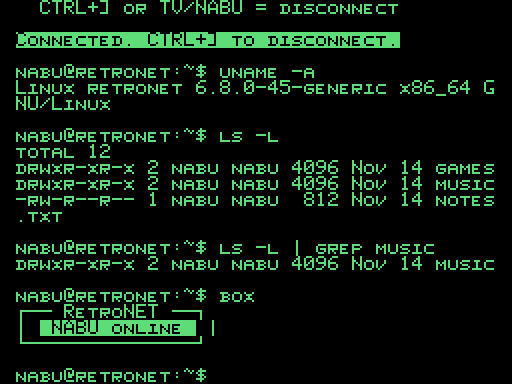
- 80 columns on an F18A or PICO9918. RShell detects the chip and switches to 80-column text by itself. A stock TMS9918 runs at 40 columns, and long lines wrap.
- A real terminal. RShell understands the ANSI and VT100 codes that modern shells send:
- cursor movement and screen and line clearing
- insert and delete line and character
- scroll regions, so
less,top,nanoand other full-screen programs draw properly - the alternate screen
- reverse video
- cursor position reports and device attributes
- Box drawing. Unicode and DEC line-drawing boxes are drawn with real line characters. Accented letters, curly quotes and dashes in UTF-8 output show as their plain ASCII forms, so you don't get screens of garbage.
- A blinking block cursor.
Keys
The NABU keyboard has no backslash, pipe, tilde or backtick keys, so CTRL combinations type them:
| Key | Types |
|---|---|
| CTRL+B | \ |
| CTRL+P | \| |
| CTRL+T | ~ |
| CTRL+G | ` |
| Arrow keys | Sent as VT100 arrows: command history and line editing in bash |
| CTRL+] or TV/NABU | Disconnect |
After you disconnect, or when the shell exits, press any key to open a new shell.
Also on Cloud CP/M
The same program is in the Cloud CP/M software library as RSHELL.COM. It uses the CP/M BIOS terminal at your chosen column width.
Screenshots