NABU Channel
NABU BASIC RETRONET
Group: Utilities • Author: Claude
Created 2026-10-28 • Updated 2026-10-28Patched to read/write over the network instead of requiring a floppy drive
You can find NABU BASIC RETRONET in the Utilities category. To run this, look in the Internet Adapter or Headless menu on the NABU/MAME and navigate to the Utilities channel category and select NABU BASIC RETRONET.
LOAD filename (loads a .bas file, extension is optional)
SAVE filename (saves a .bas file, extension is optional)
SAVE filename,T (saves as text)
KILL filename (deletes file)
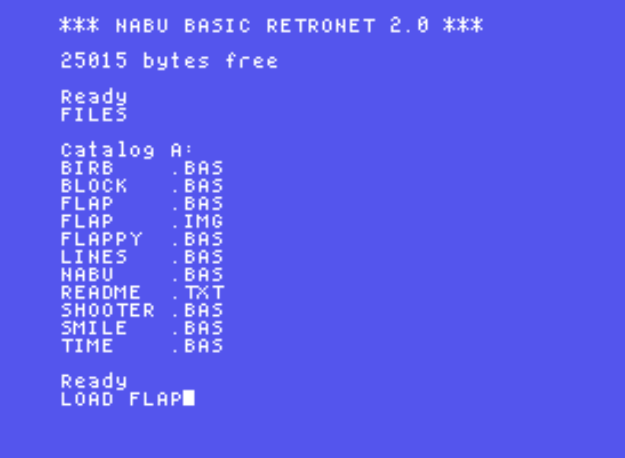
FILES (show files on store. N1: drive/user parameter is optional)

filename can contain a drive and user
N1: will access store/cpm/n/1

You can access a folder but you are limited to 8.3 characters total including filename
LOAD bas/test.bas (valid)

Write a text file:

10 OPEN #1;"NABU.TXT"
20 REWIND #1
30 PRINT #1;"LEO","DJ","BRIJOHN"
40 CLOSE #1

Remove line 20 if you want to append instead of overwrite

This creates NABU.TXT with each name on a separate line.

LEO
DJ
BRIJOHN

Read a text file:

10 OPEN #1;"NABU.TXT",1
20 READ #1;N$
30 IF EOF(1)=6 THEN END
40 PRINT N$
50 GOTO 20
Screenshots