Weather
Drive A : User 0 • by DJ Sures
Created 2026-11-12 • Updated 2026-11-12A live weather station for your NABU.
WEATHER.COM is located on the A: drive in user area 0. To run this, look in the Internet Adapter or Headless menu and select Cloud CPM. After CPM loads and you are presented with an A:0> prompt, type the drive (A:), and then type the user area (user 0). If you type DIR, look for the COM file (WEATHER.COM). Enter that filename at the prompt to execute Weather.
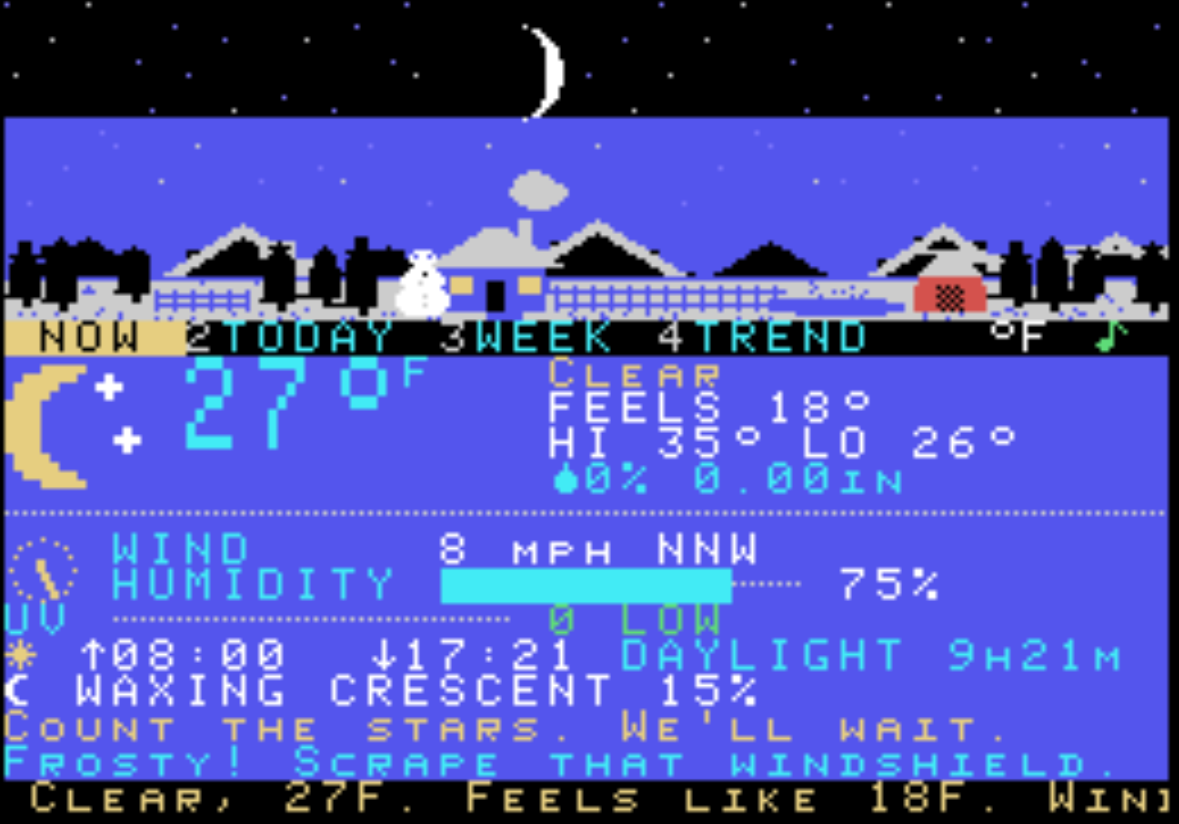
A live weather station for your NABU. An animated sky over a little village shows the current weather: the sun crosses the sky with the clock, the moon shows tonight's real phase, clouds drift with the wind, rain and snow fall, fog rolls in, lightning flashes, and a snowman appears in winter. Below the sky are pages for today's conditions, the day broken into parts, a 7-day outlook and a temperature trend graph. It plays matching sounds: rain, wind, thunder, birds, crickets and more.
The forecast comes from Open-Meteo through your Internet Adapter. You need Internet Adapter version 2026.11.12.00 or newer.
Running it
- Cloud CP/M: type
WEATHERat the prompt. - Homebrew: load
WEATHER.NABUfrom the Internet Adapter.
The first time you run it, press L if no location is set yet, then type your city, postal code or lat,lon and press ENTER. The adapter remembers it.
Keys
| Key | Does |
|---|---|
| 1 2 3 4, TAB, UP/DOWN | Switch page: NOW, TODAY, WEEK, TREND |
| LEFT / RIGHT | Pick a day (on the TODAY and WEEK pages) |
| ENTER | On WEEK, open that day in TODAY |
| U | Switch °C / °F |
| S | Sound: all, effects only, or off |
| L | Change location |
| R | Refresh now (it also refreshes every 10 minutes) |
| Q or ESC | Quit back to CP/M (CP/M only) |
Location
Drive A : User 0
Files (1)
Screenshots